Fall Detection Systems: Technologies That Can Support Safety in Dementia Care
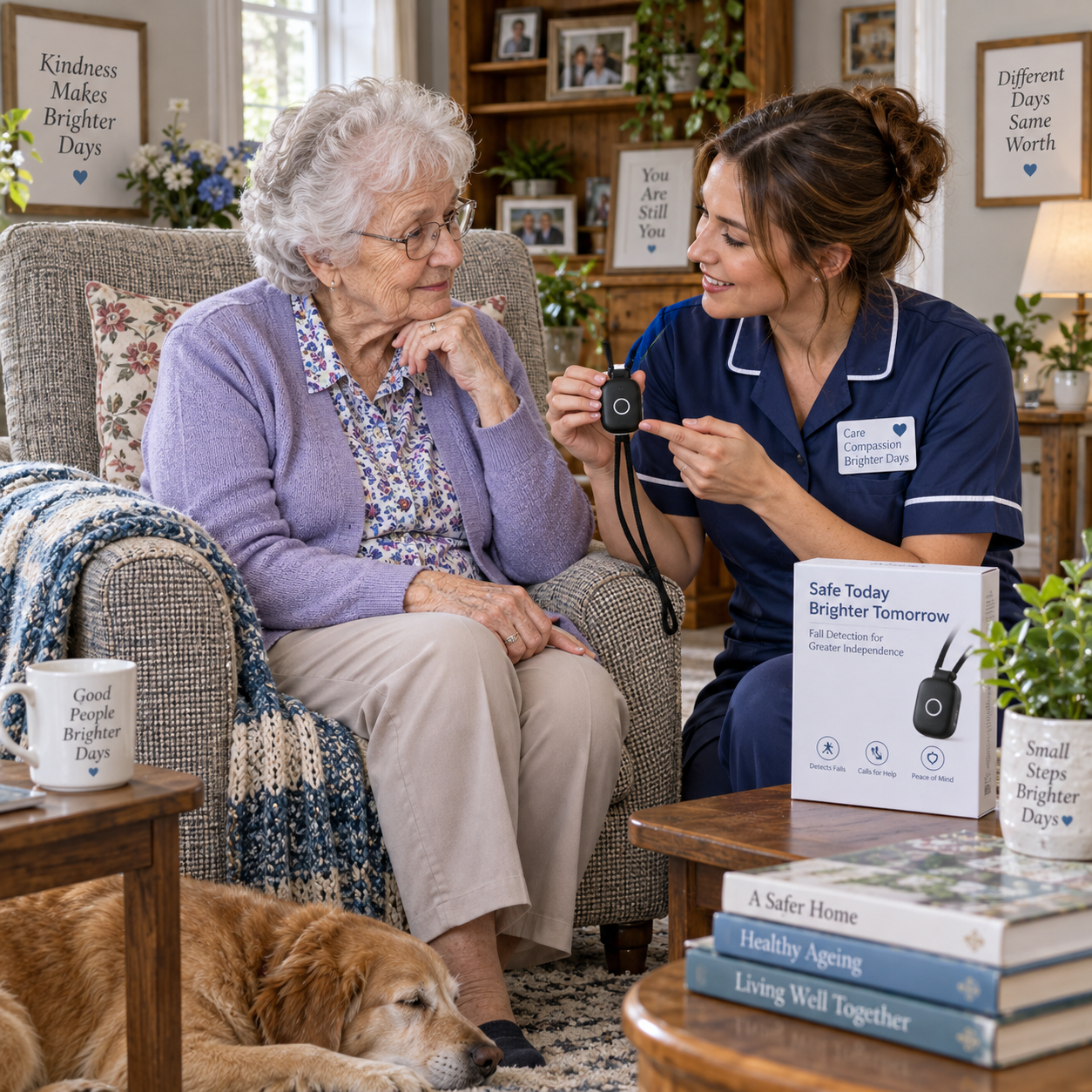
Fall detection systems use wearable devices or in-home sensors to identify a possible fall and notify someone who can check on the person. For people living with dementia, these technologies may shorten the time between a fall and caregiver assistance, but their value depends on comfort, reliable alerts, and a clear response plan.
Why falls are a concern in dementia care
Falls can be especially concerning in dementia care because changes in memory, judgment, attention, and mobility may make it harder to recognize hazards or call for help. A fall detection system can alert a caregiver when a person cannot use a phone or personal alarm, although it cannot prevent every fall.
Risk is shaped by the person and the setting. Someone may misjudge a step, forget to use a mobility aid, move quickly while confused, or have trouble finding the bathroom in an unfamiliar room. Poor lighting, loose rugs, clutter, and changes to a familiar layout can add hazards. Some people also have health or mobility issues that affect balance; a clinician can help assess individual risks.
After a fall, a person with dementia may not remember what happened or be able to explain pain, dizziness, or injury. They might also feel frightened or resist assistance. This can delay help unless a caregiver notices the event or receives an alert. Technology can provide another way to notice a possible emergency, but it works best alongside practical steps such as clear walking routes, suitable lighting, and regular care check-ins.
How fall detection systems work
Fall detection systems look for patterns that may indicate a fall and then send an alert for someone to check. Wearable devices commonly use motion sensors, while passive in-home sensors can monitor movement or activity without requiring a person to wear a device.
Many wearable fall detectors contain an accelerometer, which measures changes in movement, and a gyroscope, which senses rotation or orientation. A device may register a sudden downward movement followed by a period of stillness as a possible fall. Its software compares that pattern with ordinary actions such as sitting down quickly. The device may sound an alarm or ask the person to confirm that they need help; if there is no response, it may send an automatic alert.
Passive in-home sensors use other clues. Depending on the system, motion sensors, door sensors, pressure sensors, or radar-based devices may identify unusual inactivity or a sudden change in movement. These systems can work without a camera, though their capabilities vary: detecting that something may be wrong is not always the same as confirming a fall.
An alert workflow usually sends a notification to a designated caregiver, monitoring service, or both. The message might arrive through a phone app, text, call, or monitoring center. Some systems need a mobile phone, Wi-Fi, or a home hub; others include cellular connectivity. Check what happens if power or internet service fails, and whether the system can still reach anyone.
Wearable versus in-home systems
Wearable fall detectors travel with the person, while in-home systems monitor activity in selected parts of the home. The right choice depends on where falls are most likely, whether the person will tolerate wearing a device, and who can respond to alerts.
| Feature | Wearable system | In-home system |
|---|---|---|
| Typical setup | Pendant, wristband, watch, or sensor clipped to clothing | Sensors placed in rooms or at entry points |
| Where it can help | At home and, for some models, outdoors | Usually within the monitored home |
| Everyday consideration | The person must keep it on and, for some devices, charge it | Requires placement, setup, and sometimes calibration |
| Common limitation | May be removed, forgotten, or worn in a way that affects detection | May not identify events outside sensor coverage |
A wearable may suit someone who accepts a pendant or watch and regularly leaves home. Yet a person who finds it uncomfortable, forgets it, or removes it may not receive its intended protection. A discreet in-home system can reduce the burden of remembering a device, but it may not cover every room or detect activity as precisely as expected. Some households use both, provided the combined alerts remain manageable.
Before choosing, check battery life, water resistance for bathroom use, cellular or Wi-Fi requirements, subscription fees, and whether the system supports two-way communication. Ask the person what feels acceptable. A device that is technically capable but rarely worn or switched off offers little practical benefit.
What happens after a fall is detected
When a fall detection system identifies a possible fall, it sends an alert to the contacts or service configured in advance. A caregiver should then try to reach the person, assess the situation, and follow the agreed emergency response plan.
The exact sequence differs by provider. A wearable may first ask the person to cancel an alert if they are safe. If they do not respond, it may call a monitoring center or notify family members. A passive sensor may send a notification after detecting a fall-like event or an unusual period of inactivity. Some alerts include the device’s location; others only identify the home or room.
Make the next steps specific rather than assuming every alert requires the same action:
- Contact the person through the device, phone, or intercom if available.
- Check their location and condition without asking them to stand if they may be injured.
- Call emergency services if there is a serious injury, altered consciousness, or another urgent concern. Follow local emergency guidance.
- Notify other caregivers and document what happened, including any apparent trigger or system issue.
Assign primary and backup responders, and make sure they know the person’s address, access arrangements, and relevant care information. Test the alert chain periodically. A notification only helps when somebody sees it, understands what it means, and can act.
Choosing a system for someone with dementia
Choose a fall detection system by testing whether it fits the person’s routines, preferences, home, and caregiver response capacity. Comfort and consent matter as much as sensor features because the system must remain usable in everyday life.
Start with routines and comfort
Observe where and when the person needs the most support. Consider whether they spend time alone, move between floors, go outdoors, or tend to remove unfamiliar objects. Let them handle a wearable and try it during a normal routine where possible. A simple clasp, familiar-looking watch, or unobtrusive placement may be easier to accept, but preferences differ.
Check alert reliability and connectivity
Ask the provider how the system handles a suspected fall, how quickly alerts are sent, and whether a person can call for help manually. Find out which contacts receive alerts, what happens when nobody answers, and whether a monitoring service is included. Test the system in the rooms where it will be used. A device’s advertised detection features do not guarantee that every fall will be recognized or that a responder will be available.
Discuss privacy and consent
Explain what the system senses, what data it records, who can access alerts or activity history, and how long information is kept. A sensor without a camera may feel more acceptable to some people, but it still collects information about routines. If the person cannot make a particular decision independently, involve them as much as possible and follow applicable laws and care guidance. Revisit consent and comfort if their needs or capacity change.
Compare the total cost, including equipment, installation, connectivity, and recurring monitoring fees. Ask whether the system can be paused or adjusted, and how to reach technical support. A short trial can reveal issues that specifications miss, such as a pendant catching on clothing or notifications arriving too often.
Limits and the role of human care
Fall detection systems can miss some falls and generate false alarms, so they should support—not replace—caregiver attention, home safety measures, and an individualized care plan. No system can guarantee that an alert will be detected, delivered, or answered in time.
A slow slide to the floor may not match the motion pattern a wearable expects. A device can also mistake a sudden sit or drop for a fall. In-home sensors may miss events outside their coverage or raise concern when a person rests longer than usual. These false alarms can cause worry and alert fatigue; repeated notifications may lead responders to take alerts less seriously. Adjust settings with the provider and record recurring patterns rather than disabling alerts without reviewing the risk.
Common selection mistakes are avoidable:
- Choosing by features alone: A long feature list does not show whether the person will wear or tolerate the system. Trial it in daily routines.
- Assuming every fall is detected: Detection can vary by movement, device position, and room coverage. Keep a way to request help and maintain a response plan.
- Leaving alert roles unclear: Notifications can go unanswered if contacts are unavailable. Name a primary and backup responder and test both.
- Overlooking privacy concerns: Monitoring can feel intrusive, especially when the person has not been included in the decision. Explain the system and choose the least intrusive option that meets the safety need.
Technology is one layer of dementia care. Pair it with a fall-risk discussion with healthcare professionals, safer home arrangements, appropriate mobility support, and human contact suited to the person’s needs. Review the plan after a fall, a change in mobility, or a change in living arrangements. The goal is practical support that respects dignity while giving caregivers a clearer route to respond.