GPS Tracking Solutions for Wandering Prevention in Seniors: A Caregiver's Guide
If you've ever experienced that stomach-dropping moment of realizing your loved one isn't where you expected them to be, you already understand why wandering prevention matters so deeply. For families navigating dementia care, GPS tracking has become one of the most practical tools available — not to surveil, but to protect someone who can no longer protect themselves.
Why Wandering Is a Critical Safety Concern for Seniors with Dementia
Wandering behavior is one of the most dangerous complications of dementia and Alzheimer's disease, affecting an estimated 6 in 10 people with the condition at some point during their illness. It's not simply getting lost — it's a neurological response where disorientation, memory gaps, and restlessness combine in ways that can lead a person far from home within minutes.
Seniors with cognitive decline often wander in search of something familiar: a former home, a workplace, a routine that no longer exists in their present reality. They may leave in the middle of the night, in poor weather, or without shoes. The outcomes can be severe — hypothermia, traffic accidents, falls in unfamiliar terrain, or simply an inability to communicate their name or address to anyone who finds them.
What makes this particularly challenging for family caregivers is that wandering often happens without warning. There's rarely a clear trigger, and it can occur even in the early-to-middle stages of cognitive decline when the person still appears relatively functional in other areas. This unpredictability is exactly why proactive solutions matter more than reactive ones.
How GPS Tracking Technology Works for Elder Care
GPS tracking for seniors works by combining satellite positioning data with cellular networks to pinpoint a device's location and transmit it to a caregiver's phone or computer in real time. The device your loved one carries communicates with GPS satellites to determine its coordinates, then sends that data over a cellular connection to a monitoring app.
Most modern elder care trackers update location every 30 seconds to a few minutes, giving caregivers a reasonably current picture of where their family member is. Some devices also use Wi-Fi triangulation indoors, which helps compensate for the well-known limitation of GPS signals in enclosed spaces like shopping malls or multi-story buildings.
Geofencing is the feature that makes GPS truly powerful for wandering prevention. It allows caregivers to draw a virtual boundary — say, the perimeter of the home and yard — and receive an automatic alert the moment the device crosses that line. This means you don't need to watch a map constantly; the system watches for you.
Real-time location monitoring works best when paired with a reliable cellular plan, which is why most GPS trackers require a monthly subscription. The cellular connection is what allows location data to travel from the device to your phone, regardless of distance.
Types of GPS Tracking Devices Designed for Seniors
GPS trackers for seniors come in several form factors, and the right choice depends heavily on what your loved one will actually wear or carry consistently.
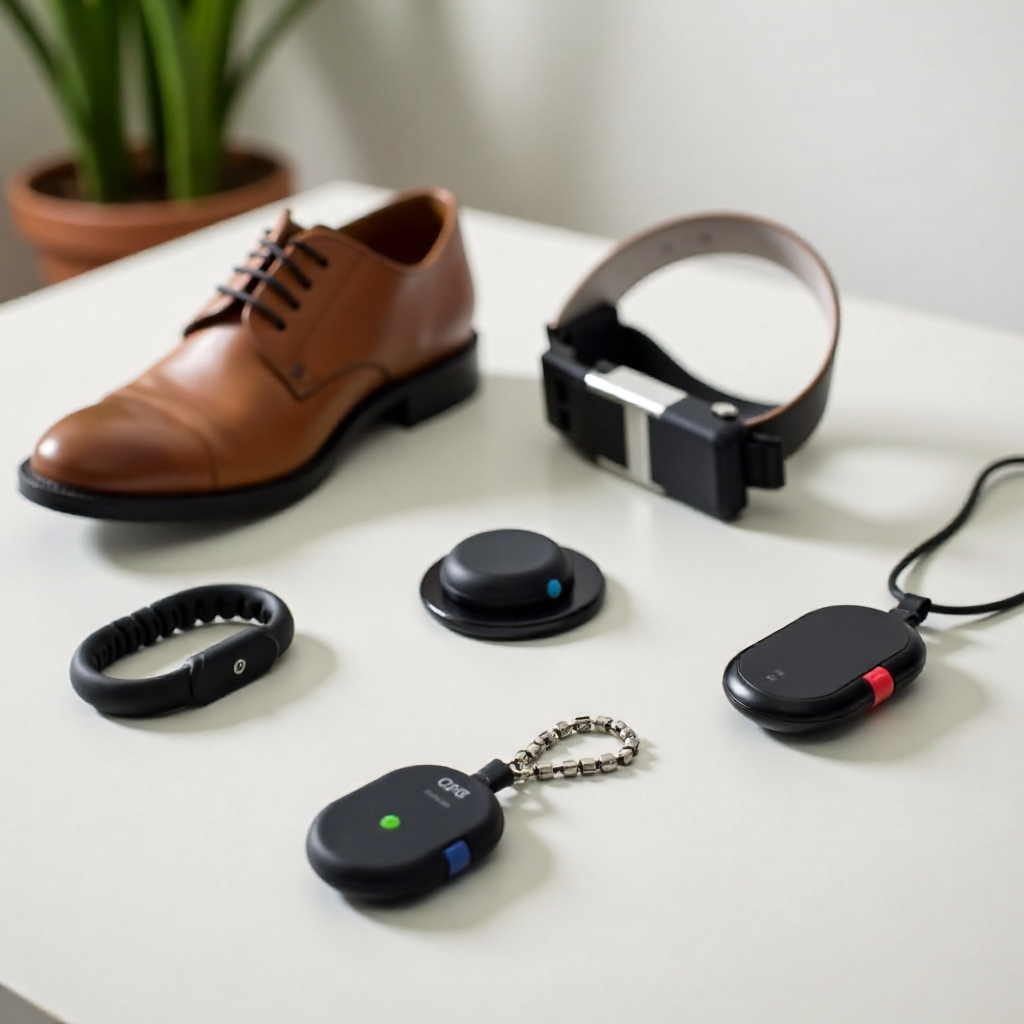
- Wristband trackers resemble a watch and are often the most accepted option because they look familiar. They work well for seniors who are accustomed to wearing a watch and don't object to something on their wrist.
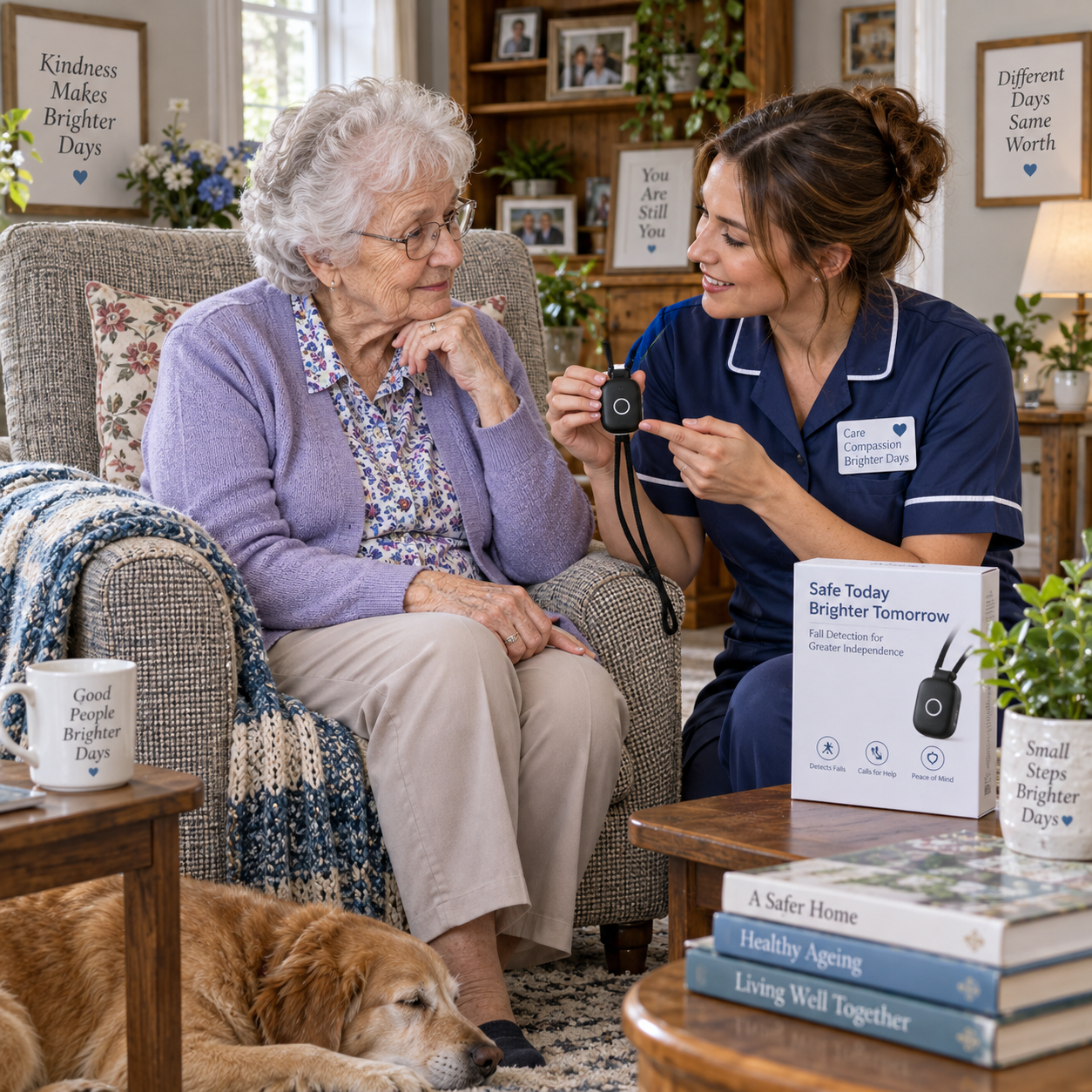
- Pendant or lanyard trackers hang around the neck and can be worn discreetly under clothing. These suit seniors who find wristbands uncomfortable or those who tend to remove things from their wrists.
- Shoe inserts are a clever solution for individuals who refuse wearable devices entirely. The tracker is embedded in the insole and essentially invisible to the wearer — though they require compatible footwear and regular charging.
- Belt clip or pocket devices work for seniors in earlier stages of cognitive decline who can manage a small device in a pocket or attached to clothing, similar to a key fob.
There's no universally best option. A person who removes every bracelet within minutes needs a different solution than someone who simply needs a discrete backup to existing safety measures. Trying one type and adjusting based on your loved one's behavior is completely normal.
Key Features to Look for in a Senior GPS Tracker
When evaluating GPS tracking devices for a senior with dementia, five features consistently separate genuinely useful tools from those that frustrate caregivers within weeks.
Geofencing alerts should be customizable — you want to set boundaries that match your specific home and neighborhood, not a one-size radius. Look for devices that allow multiple zones (home, a day program, a relative's house) and that deliver alerts via text, app notification, or phone call.
An SOS or emergency button adds a layer of two-way safety. If your loved one is lost but still lucid enough to press a button, this feature can initiate a call or send an alert with their exact location. Some devices allow the caregiver to speak directly through the device, which can be calming for a disoriented senior.
Battery life is a practical concern that's easy to overlook until it becomes a problem. A tracker that needs daily charging is a tracker that will frequently be found dead on the nightstand. Devices with 48–72 hours of battery life give caregivers a realistic buffer. Some shoe-insert models last up to a week between charges.
Water resistance matters because seniors with dementia may not remove devices before bathing, or may wander in rain. Look for at least an IPX5 rating, which handles splashing and light rain.
Finally, consider ease of use for the senior. A device with no buttons, no screen, and nothing to accidentally turn off is often better than a feature-rich gadget that the person can disable without realizing it.
Setting Up Geofencing and Alert Systems Effectively
Effective geofencing setup requires a few deliberate decisions upfront — the technology is only as useful as the boundaries you define and the alert chain you create. Start by mapping the areas where your loved one is genuinely safe without supervision: the home, a fenced yard, perhaps a familiar neighbor's property.
Set the geofence boundary slightly inside the actual perimeter rather than exactly at it. This gives you a few extra minutes of response time before your loved one reaches a road or unfamiliar area. A boundary drawn at the property line may alert you only as they're already stepping onto the sidewalk.
Configure alerts to reach multiple people simultaneously — not just the primary caregiver. A neighbor, a sibling, or a trusted friend who receives the same notification can dramatically reduce response time if the primary caregiver is unavailable or far away. Most apps allow multiple contacts to be added to an alert group.
Test the system before you need it. Walk the boundary yourself with the device to confirm the alert triggers where you expect it to. Check whether the alert arrives within an acceptable timeframe and that the location shown is accurate. Doing this once a month is a reasonable maintenance habit.
Balancing Safety with Dignity — Ethical Considerations
Using a GPS tracker on a family member raises real ethical questions, and sitting with that discomfort rather than dismissing it is the right instinct. The goal is safety, but the person being tracked is still a person with a history, preferences, and — depending on their stage of cognitive decline — some degree of awareness about what's happening.
Where cognitive capacity allows, involve your loved one in the decision. Explain the device simply: "This helps us find you if you ever get turned around." Many seniors, when approached with warmth rather than authority, accept a tracker more readily than caregivers expect. The framing matters enormously.
When the person can no longer meaningfully consent, the decision falls to the caregiver — and that's a legitimate and compassionate choice. Tracking a vulnerable person to keep them safe is not surveillance in the troubling sense; it's an extension of the supervision that dementia care already requires.
Privacy within the home is worth protecting too. GPS trackers should be used to monitor safety, not to catalog every movement or share location data beyond those who genuinely need it. Limiting app access to essential caregivers respects the senior's dignity even within necessary constraints.
Complementary Strategies to Use Alongside GPS Tracking
GPS tracking works best as one layer in a broader safety plan, not as a standalone solution. Technology can fail, batteries die, and devices get removed — which is why redundancy matters in dementia care.
Door and window alarms provide an immediate alert when an exit is attempted, often buying enough time to intervene before the person leaves the property. These are inexpensive and don't require the senior to wear anything.
Identification programs — sometimes called Safe Return-style programs — involve registering your loved one with local law enforcement or community networks so that if they're found by a stranger or officer, their information is already in a system. The Alzheimer's disease resource hub at alzheimers.gov offers guidance on connecting with local support networks and safety programs.
An ID bracelet or sewn-in clothing label with a name and phone number is low-tech but consistently valuable. It helps anyone who encounters your loved one — a store clerk, a neighbor, a first responder — make contact quickly.
Regular caregiver check-ins and a predictable daily routine also reduce wandering incidents. Dementia-related wandering often spikes during periods of boredom, agitation, or disrupted routine. Structured activity, adequate daylight exposure, and consistent mealtimes all contribute to calmer behavior.
Frequently Asked Questions
What is the best type of GPS tracker for a senior who refuses to wear devices?
Shoe inserts are often the most effective option for device-resistant seniors because they're hidden inside footwear the person already wears. If footwear compliance is also an issue, a tracker sewn discreetly into a jacket or bag may be a workable alternative, though it's less reliable if the item isn't always worn.
How accurate is GPS tracking for seniors indoors?
GPS accuracy indoors is genuinely limited — satellite signals struggle to penetrate walls, especially in multi-story buildings. Many devices compensate with Wi-Fi positioning, which can narrow location to a room or floor, but this isn't as precise as outdoor tracking. Expect indoor accuracy of roughly 15–50 meters rather than the 5–10 meters typical outdoors.
Do GPS trackers for seniors require a monthly subscription?
Most do, because the device needs a cellular data plan to transmit location data. Monthly fees typically range from $10 to $40 depending on the provider and data plan. A few devices use Bluetooth only and have no subscription cost, but these only work within range of a paired phone — which significantly limits their usefulness for wandering prevention.
At what stage of dementia should a family consider a GPS tracker?
Earlier than most families expect. The middle stages of dementia — when the person is mobile and physically capable but increasingly disoriented — carry the highest wandering risk. Introducing a tracker before the first incident, rather than after, is the more protective approach. If your loved one has begun getting confused about familiar routes or has expressed a desire to "go home" while already home, that's a meaningful signal.
Can a senior GPS tracker also detect falls or other emergencies?
Some devices include fall detection sensors that trigger an alert if the wearer experiences a sudden drop. This feature varies significantly in accuracy — false positives from sitting down quickly or bending over are common. If fall detection is a priority, look for devices that specifically advertise it and check independent reviews for real-world accuracy. The SOS button remains the most reliable emergency feature across most trackers.